


The automotive industry's shift to Ethernet-based networks isn't just about faster data rates, it's about bringing modern development tools to an industry still heavily reliant on CAN and LIN. But here's the challenge: 100/1000BASE-T1 automotive Ethernet operates fundamentally differently from traditional Ethernet, and without the right tools, debugging becomes a nightmare.
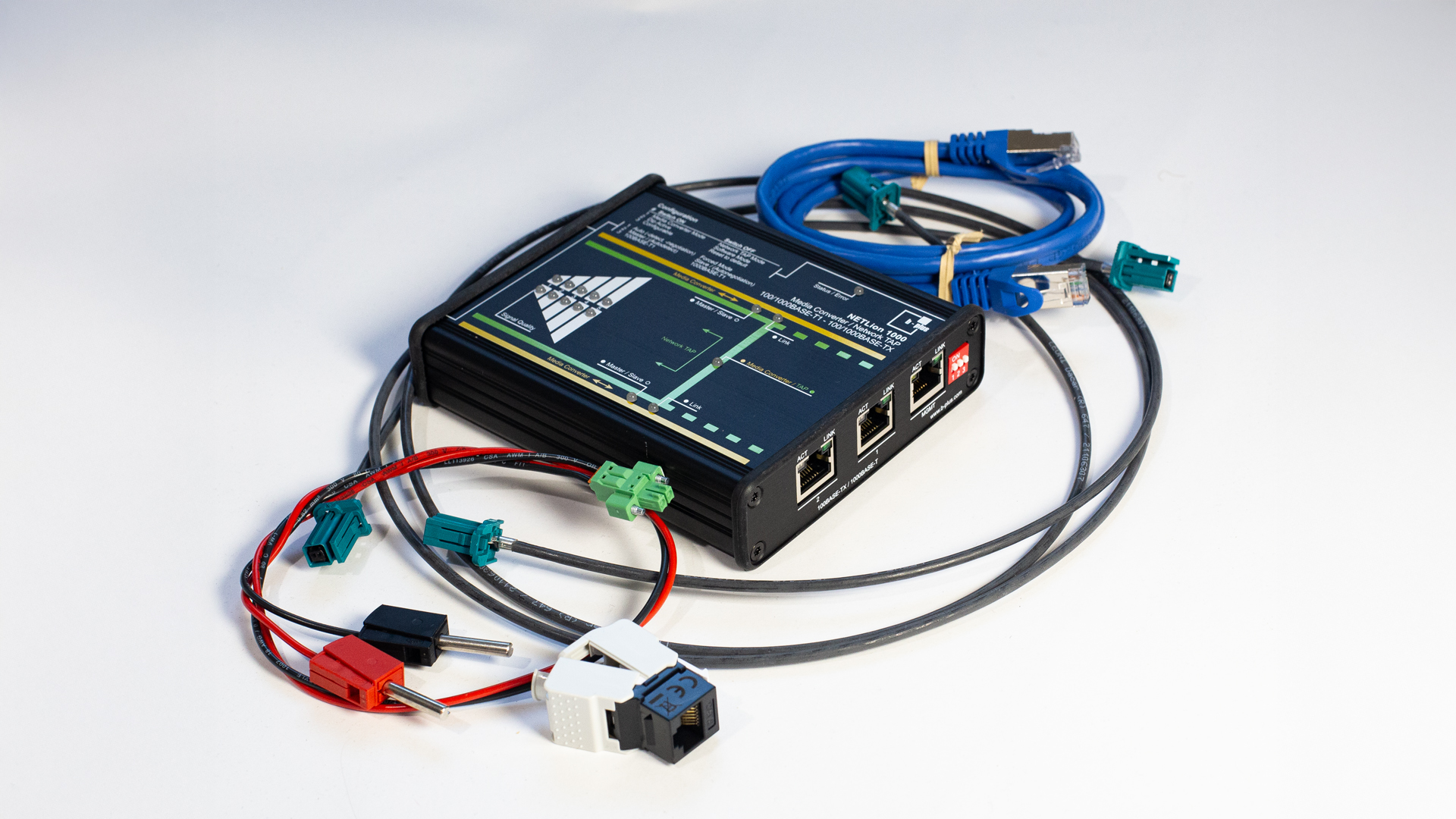
Enter the NETLion 1000: a development tool that bridges the gap between automotive T1 networks and standard Ethernet, offering engineers a powerful web-based interface for configuration, testing, and validation, all without writing a single line of code.
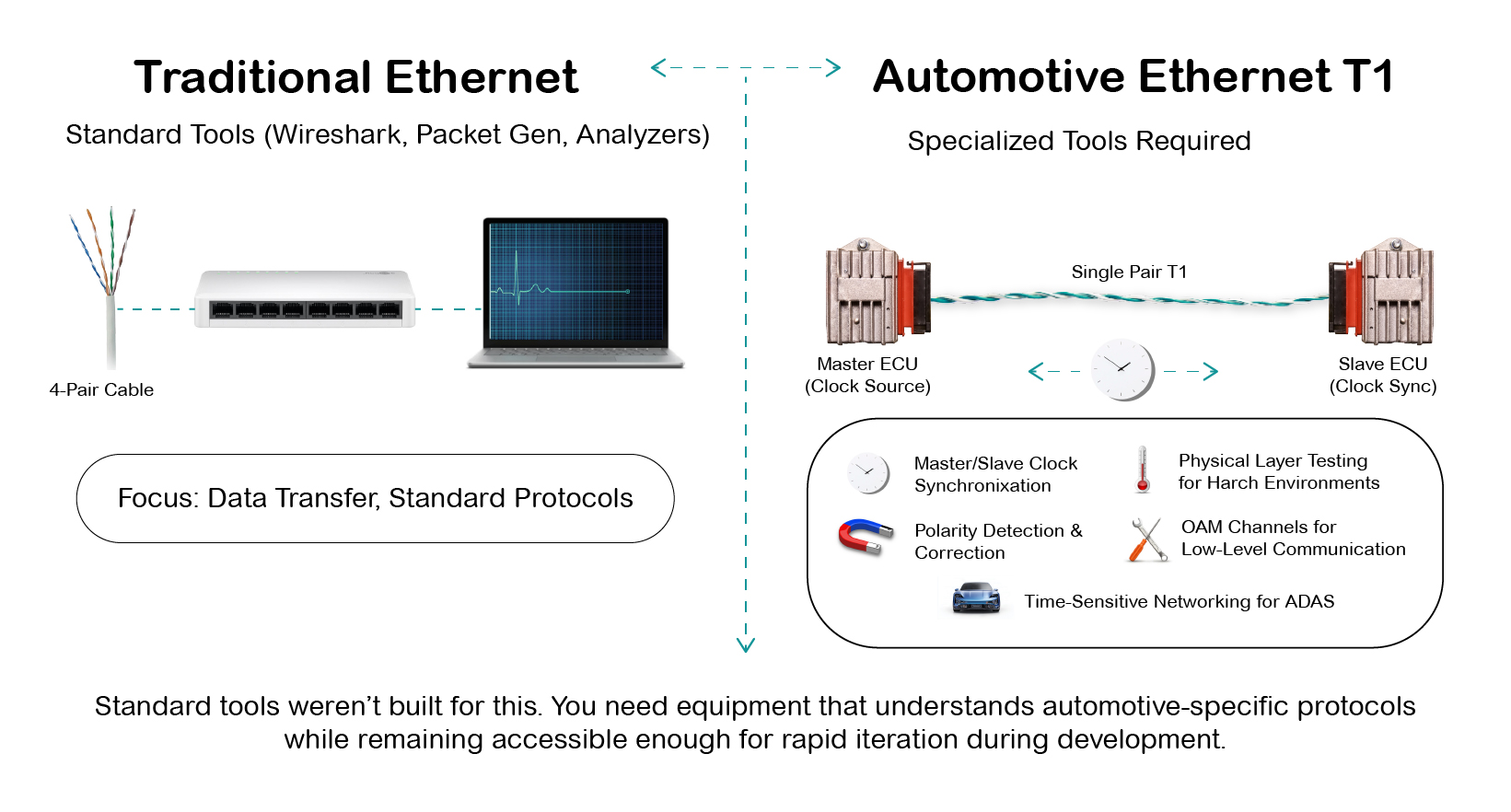
Traditional Ethernet engineers reach for Wireshark, packet generators, and protocol analyzers. But automotive Ethernet adds layers of complexity:
Standard tools weren't built for this. You need equipment that understands automotive-specific protocols while remaining accessible enough for rapid iteration during development.
The NETLion 1000 operates in two distinct modes, each serving critical development workflows:
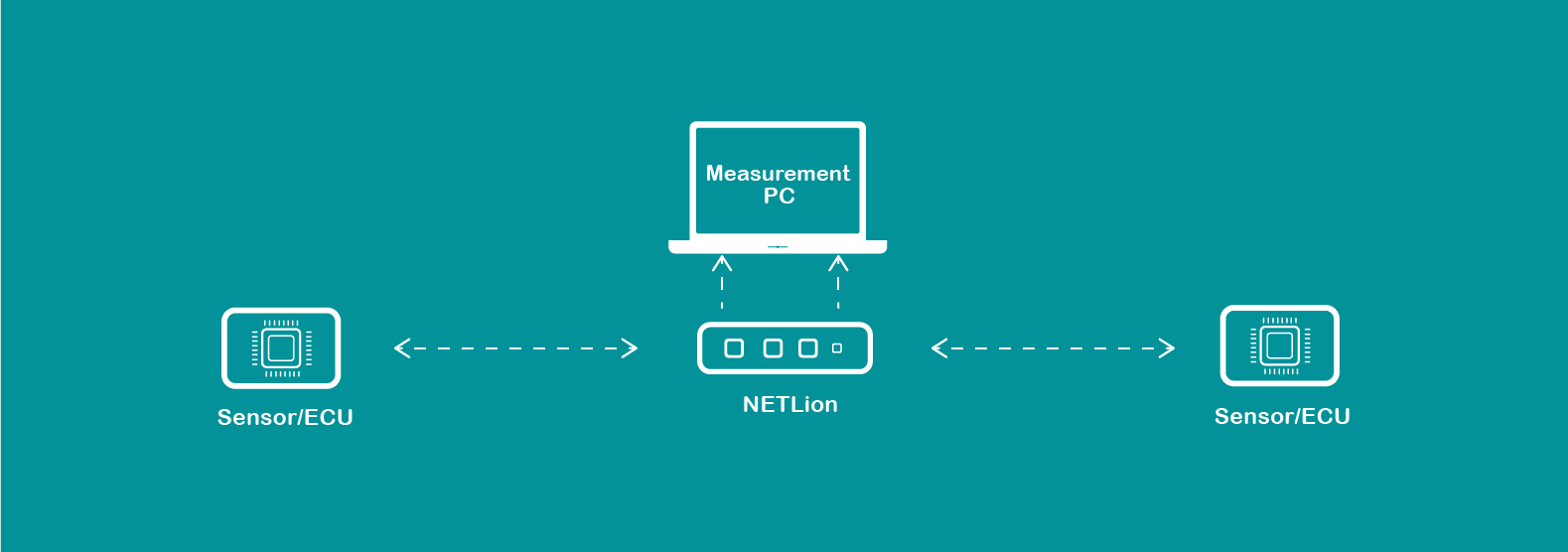
Connect automotive T1 devices to standard Ethernet equipment for analysis, testing, or integration. Two independent channels mean you can bridge multiple ECUs simultaneously, each with its own speed (100M or 1000M) and role (Master or Slave) configuration.
Use cases:
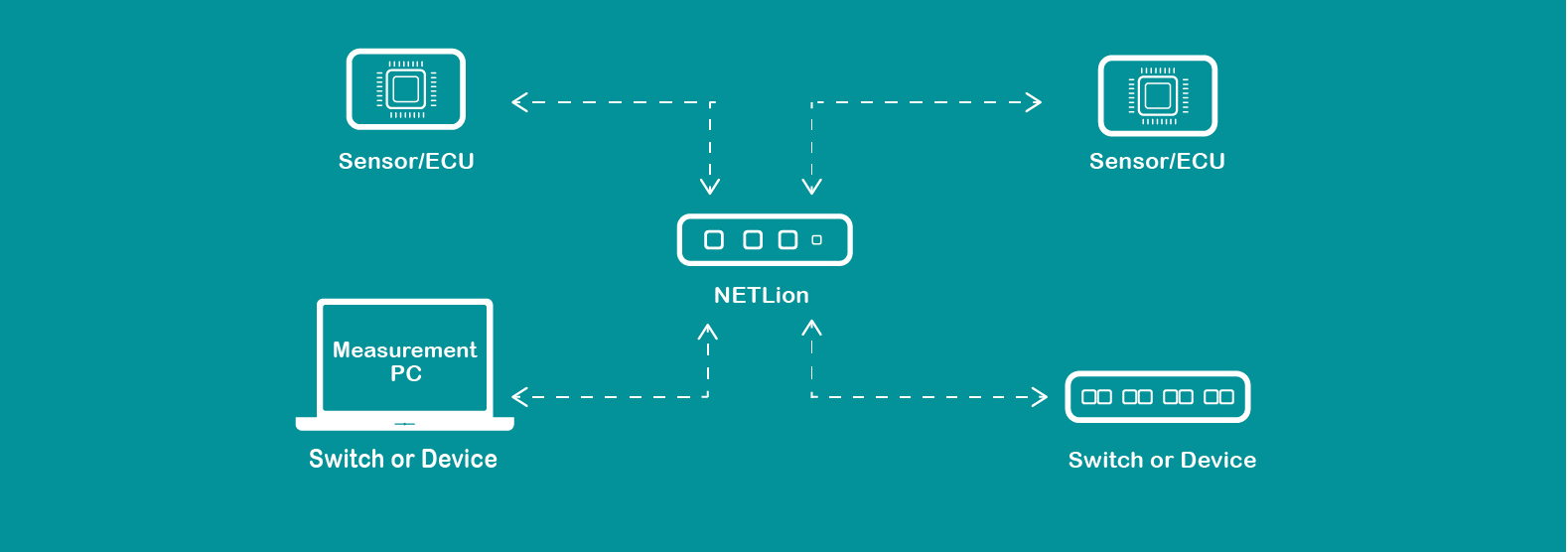
Sit transparently between two T1 devices, capturing all traffic without affecting the communication. Unlike Layer 2 TAPs that introduce store-and-forward delays, NETLion's Layer 1 TAP passes data immediately, preserving critical timing for IEEE 1588 time synchronization.
Use cases:
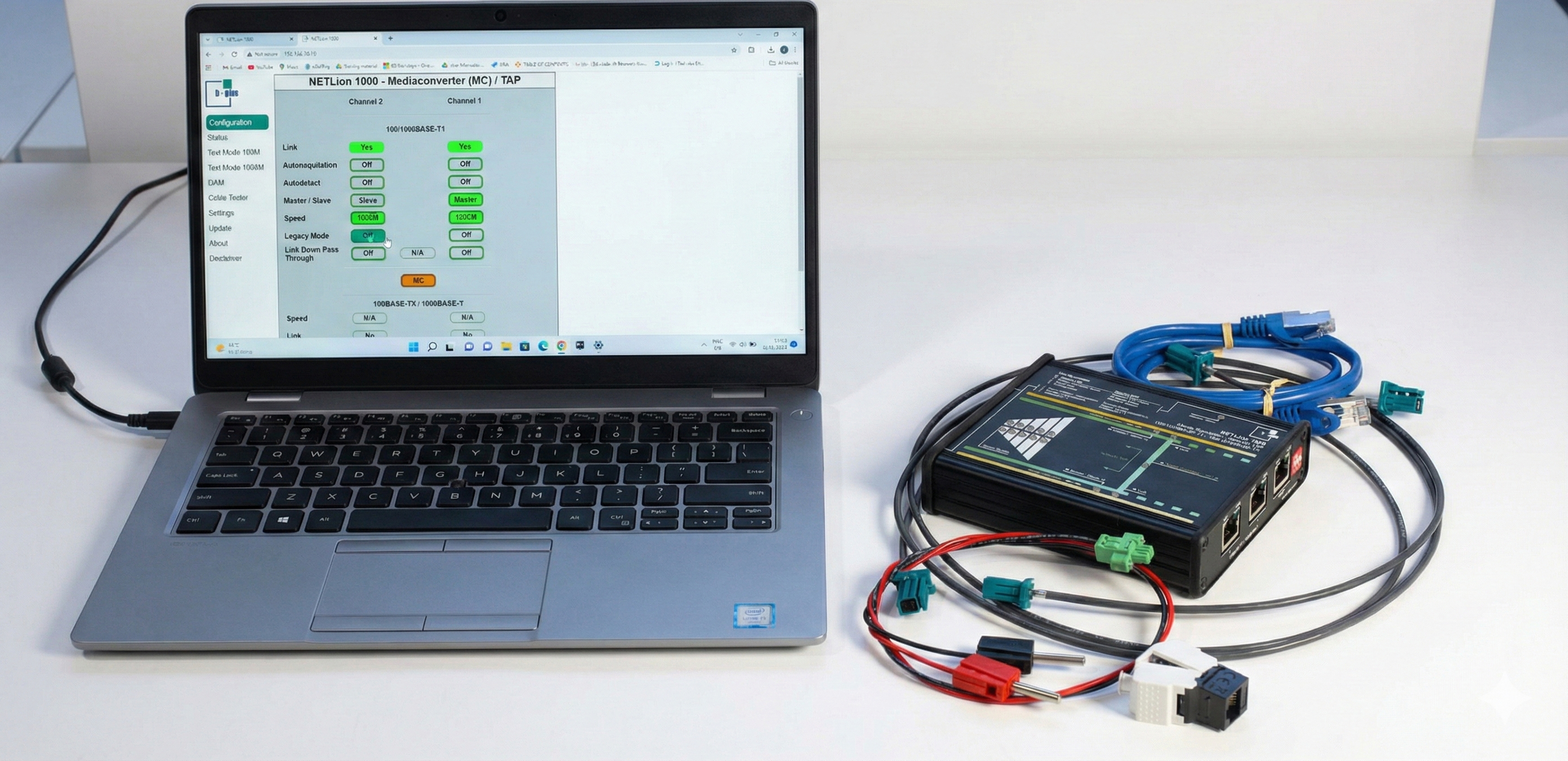
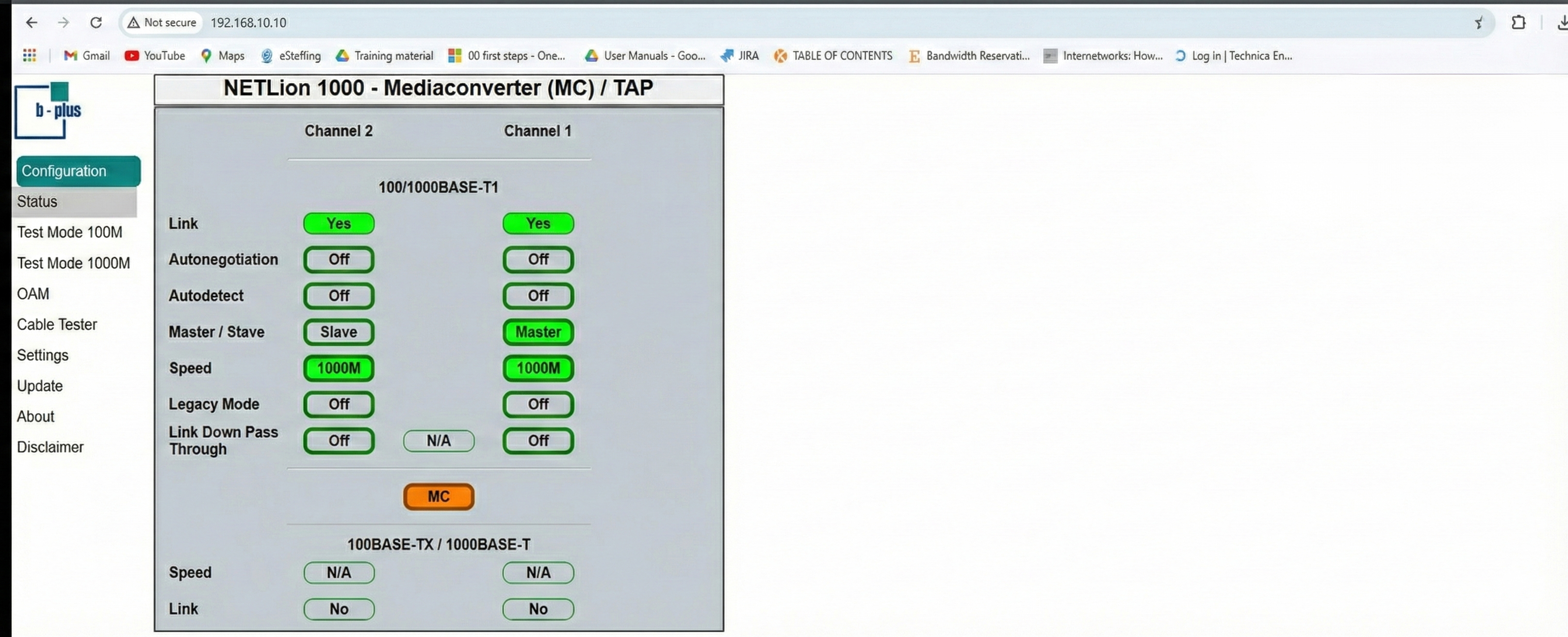
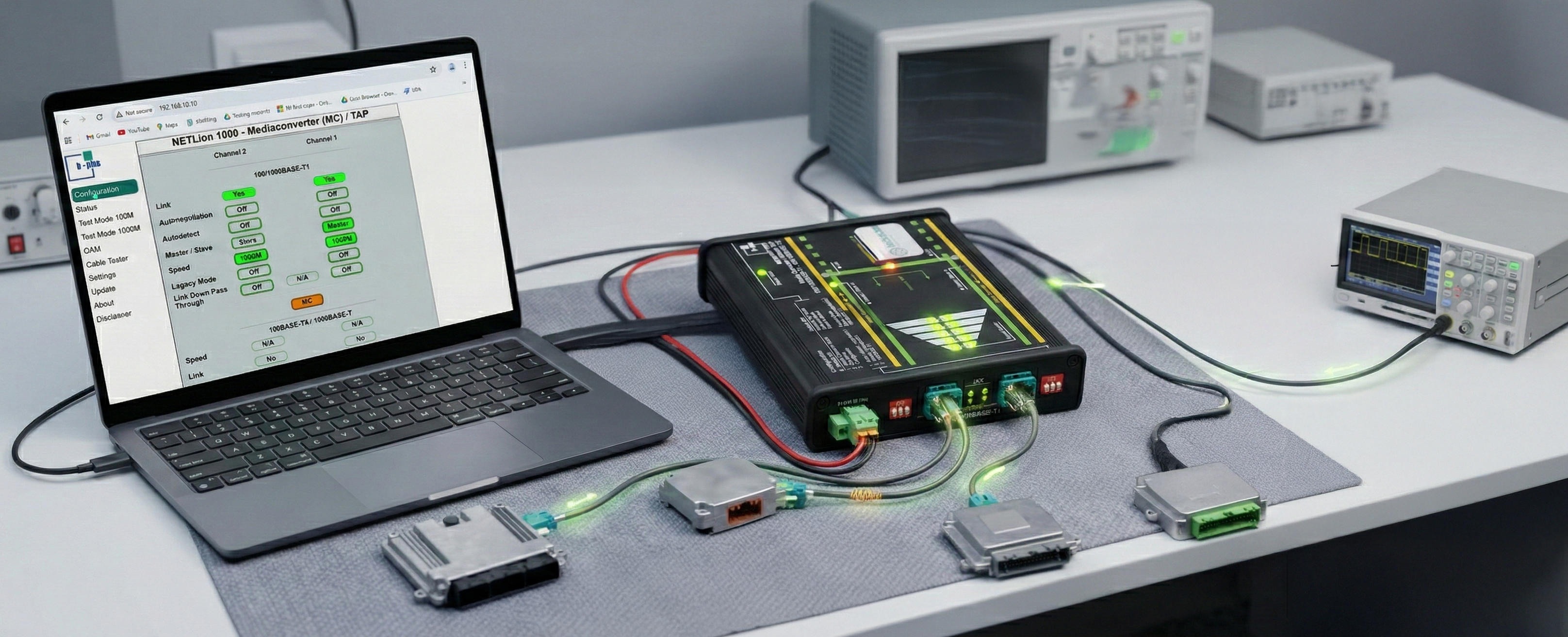
One of NETLion's most powerful features is its browser-based interface. No drivers, no proprietary software, no installation headaches. Connect to the management port, navigate to 192.168.10.10, and you're ready to work.
The interface provides instant feedback on every change:
Link Status: Green indicators show active connections the moment cables are connected. No guessing whether your setup is working.
Master/Slave Toggle: Switch roles with a single click and watch the link re-establish. Essential when you're not sure which device should be Master.
Speed Selection: Toggle between 100BASE-T1 and 1000BASE-T1 to match your device requirements.
Autodetect Mode: Let NETLion's proprietary detection algorithm figure out the correct Master/Slave and speed configuration automatically—a huge time-saver when working with unknown devices.
External packet generators and traffic analyzers cost thousands and require separate setup. NETLion includes comprehensive testing capabilities directly in the web interface.
Both 100M and 1000M modes include configurable packet generation:
Payload patterns:
Frame sizes:
Error injection:
Burst or continuous transmission:
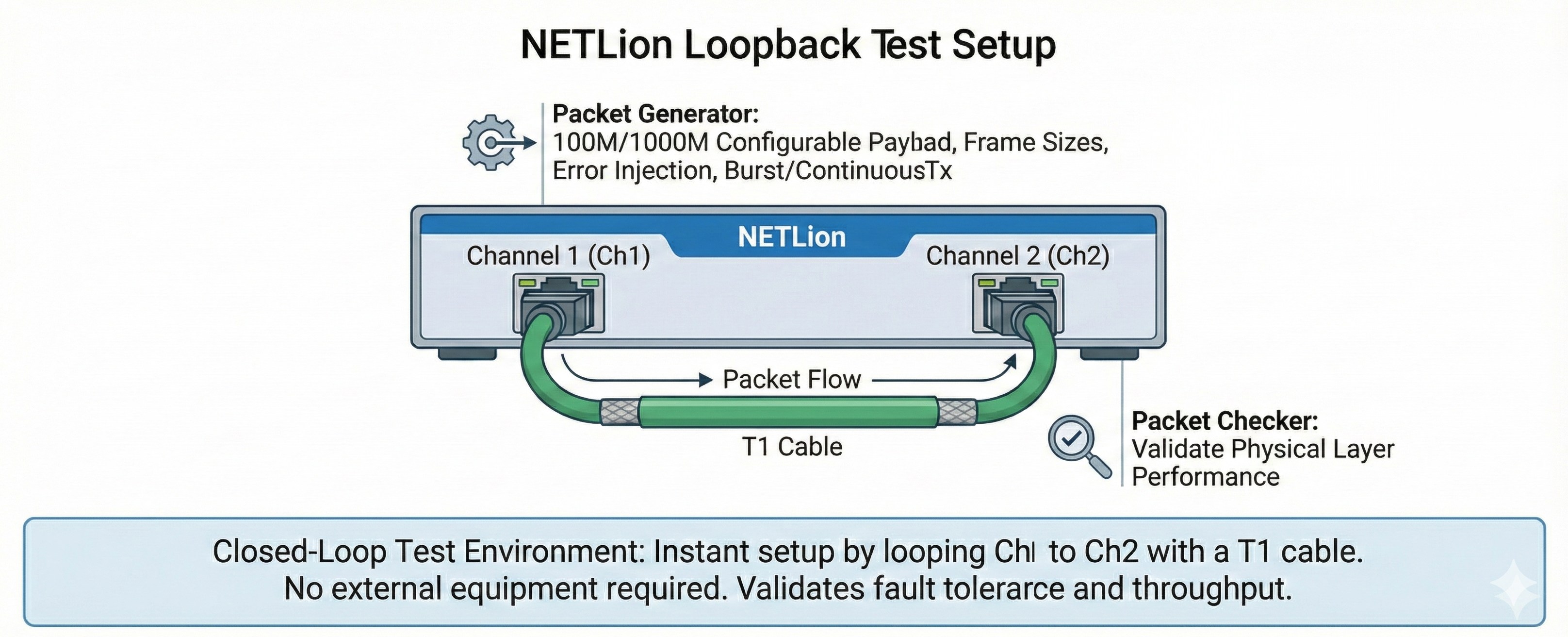
The killer feature? Loop Channel 1 to Channel 2 with a T1 cable, configure one as generator and the other as checker, and you have an instant closed-loop test environment. No external equipment required.
Setup:
• Ch1: Master, 1000M, Packet Generator enabled
• Ch2: Slave, 1000M, Packet Checker enabled
• Cable: 15m unshielded twisted pair
Test:
• Generate 10,000 packets with pseudorandom payload
• Monitor "Packets Received" vs "Packets Error"
Results:
• 10,000 received, 0 errors = Cable suitable for production
• Any errors > 0 = Investigate cable quality, shielding, connectors
• Use Cable Tester feature to identify break location
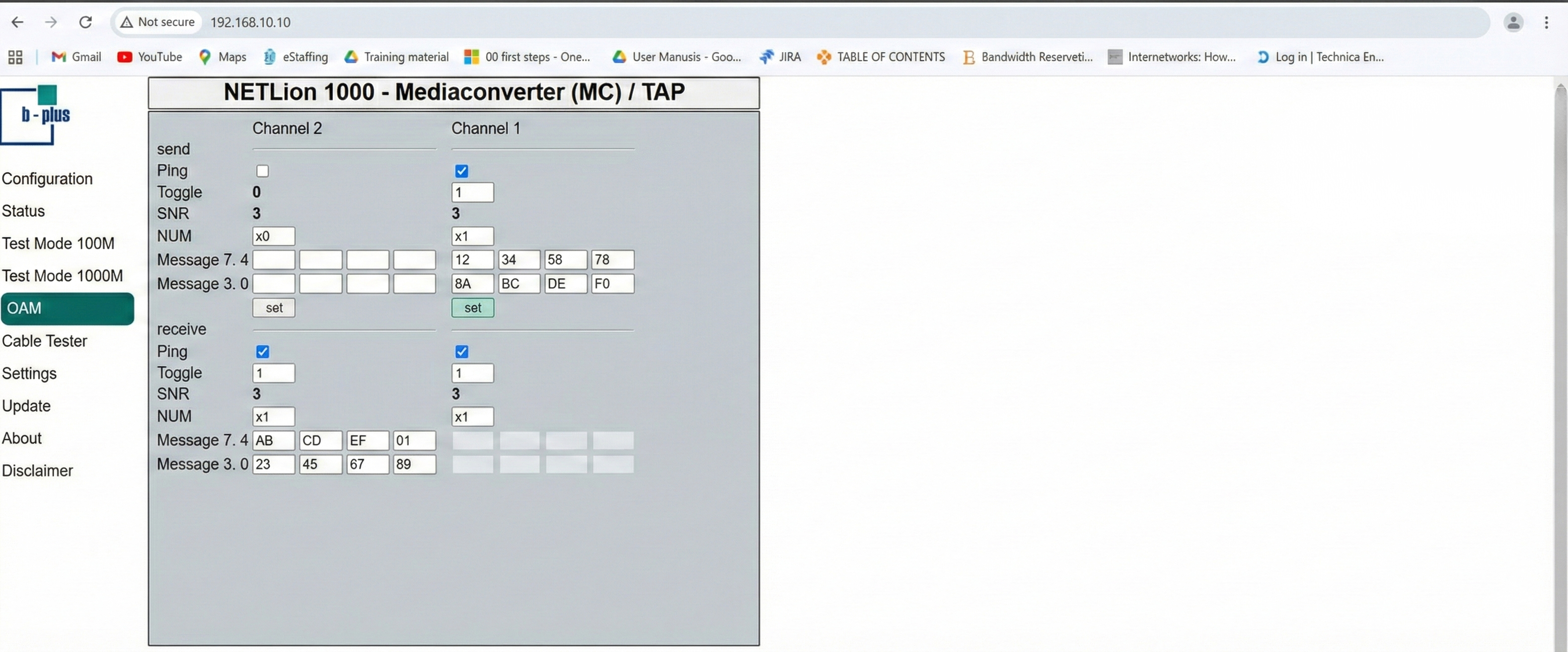
One of automotive Ethernet's most underutilized features is OAM, a low-level communication channel that runs alongside normal traffic. NETLion makes OAM accessible through the web interface, opening up powerful use cases:
Think of OAM as a side-channel that operates at the physical layer. While your main Ethernet traffic carries video streams, sensor data, or control commands, OAM carries:
8 bytes per message, 16 message slots: Small but sufficient for most control and monitoring tasks.
Toggle bit: Acts as a heartbeat indicator, if it stops alternating, you know communication has frozen.
SNR reporting: Real-time signal quality (0-3 scale) helps identify degrading cables before they fail completely.
Device Discovery:
Send: NUM=0, Message=[0x01, 0x00, 0x00, 0x00, 0x00, 0x00, 0x00, 0x00]
(Request device ID)
Receive: NUM=0, Message=[0x02, 'C', 'A', 'M', '1', '2', '3', 0x00]
(Camera responds with "CAM123")
Health Monitoring:
ECU continuously sends via OAM:
• Byte 0: Status flags
• Byte 1: Internal temperature (°C)
• Byte 2: Frame rate (fps)
• Byte 3-7: Diagnostic data
Gateway monitors Toggle and SNR to detect link degradation
before functional failures occur.
Configuration Without Main Protocol:
For devices that don't fully support your main protocol stack yet, OAM provides a fallback communication method during development.
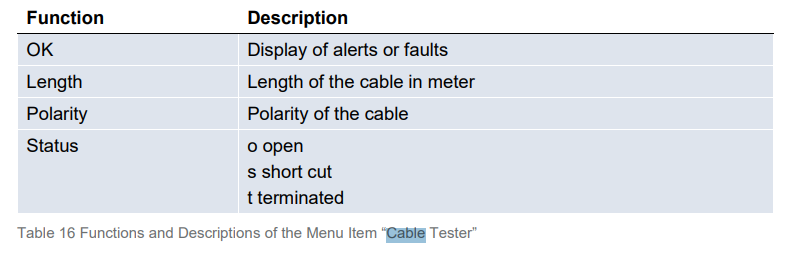
Time Domain Reflectometry (TDR) cable testers typically cost several thousand dollars. NETLion includes basic cable testing in every unit:
What it detects:
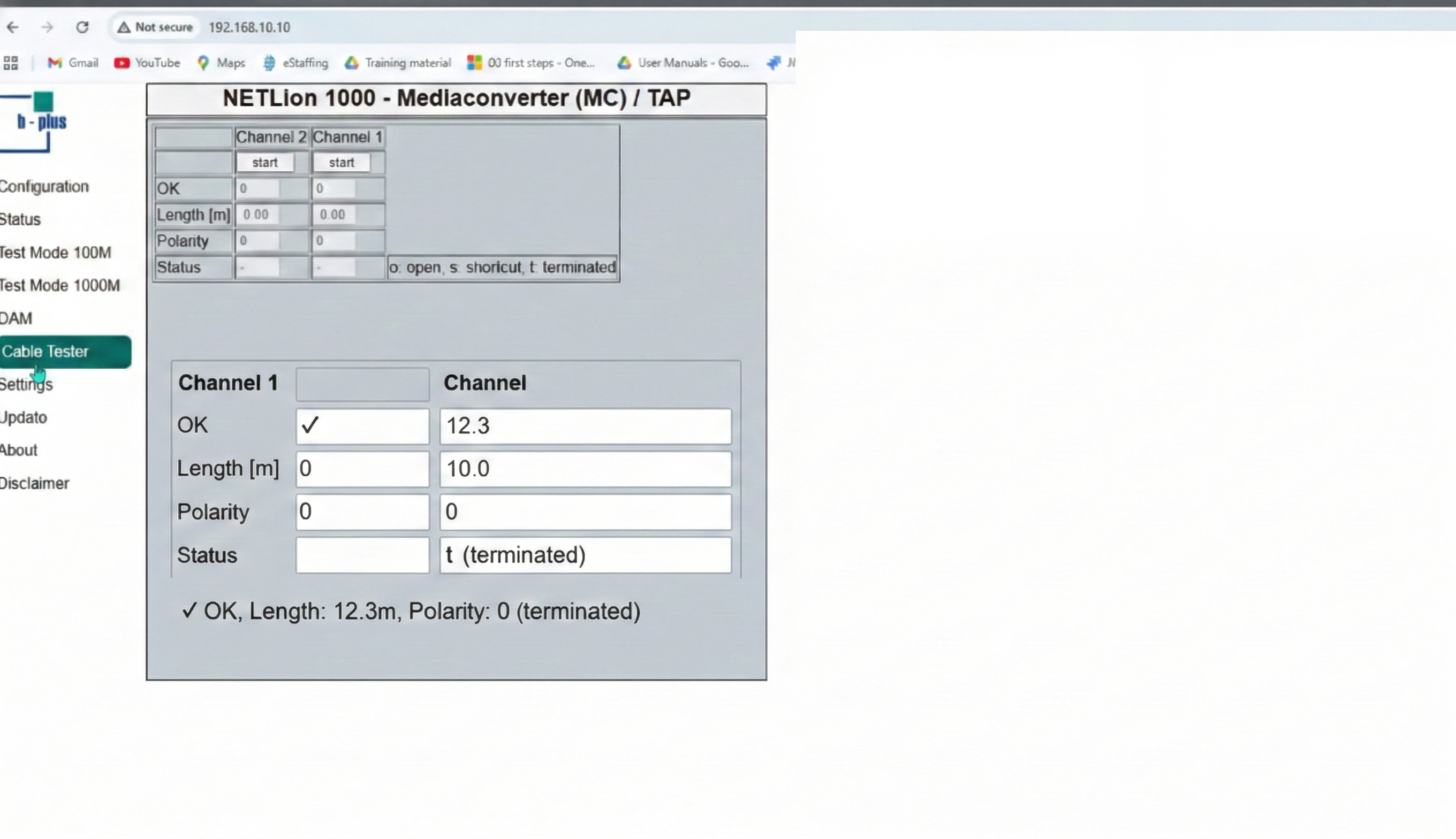
How to use it:
Example results:
Good cable:
✓ OK, Length: 12.3m, Polarity: 0, Status: t (terminated)
Broken cable:
✓ OK, Length: 8.7m, Polarity: 0, Status: o (open)
→ Break detected approximately 8.7m from NETLion
Reversed polarity:
✓ OK, Length: 5.2m, Polarity: 1, Status: t
→ Fix by swapping wires at connector
While not laboratory-grade precision, it's incredibly useful for field troubleshooting: "Is the cable the problem?" gets answered in seconds.
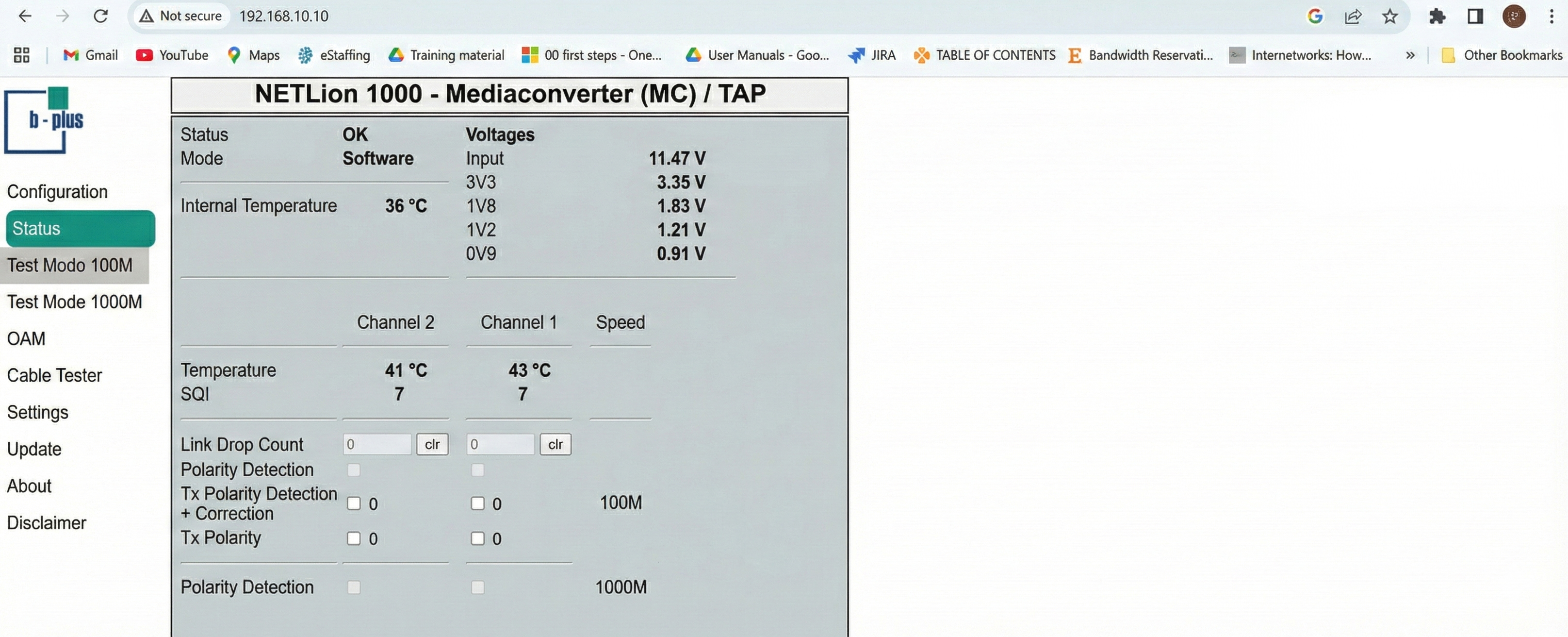
The Status menu provides comprehensive real-time monitoring:
Signal Quality Index (SQI): 0-7 scale showing link quality
Temperature Monitoring:
Voltage Rails:
Link Drop Counter:
Polarity Status:
All of these updates in real-time. Leave the status page open during testing and you'll immediately see when something changes.
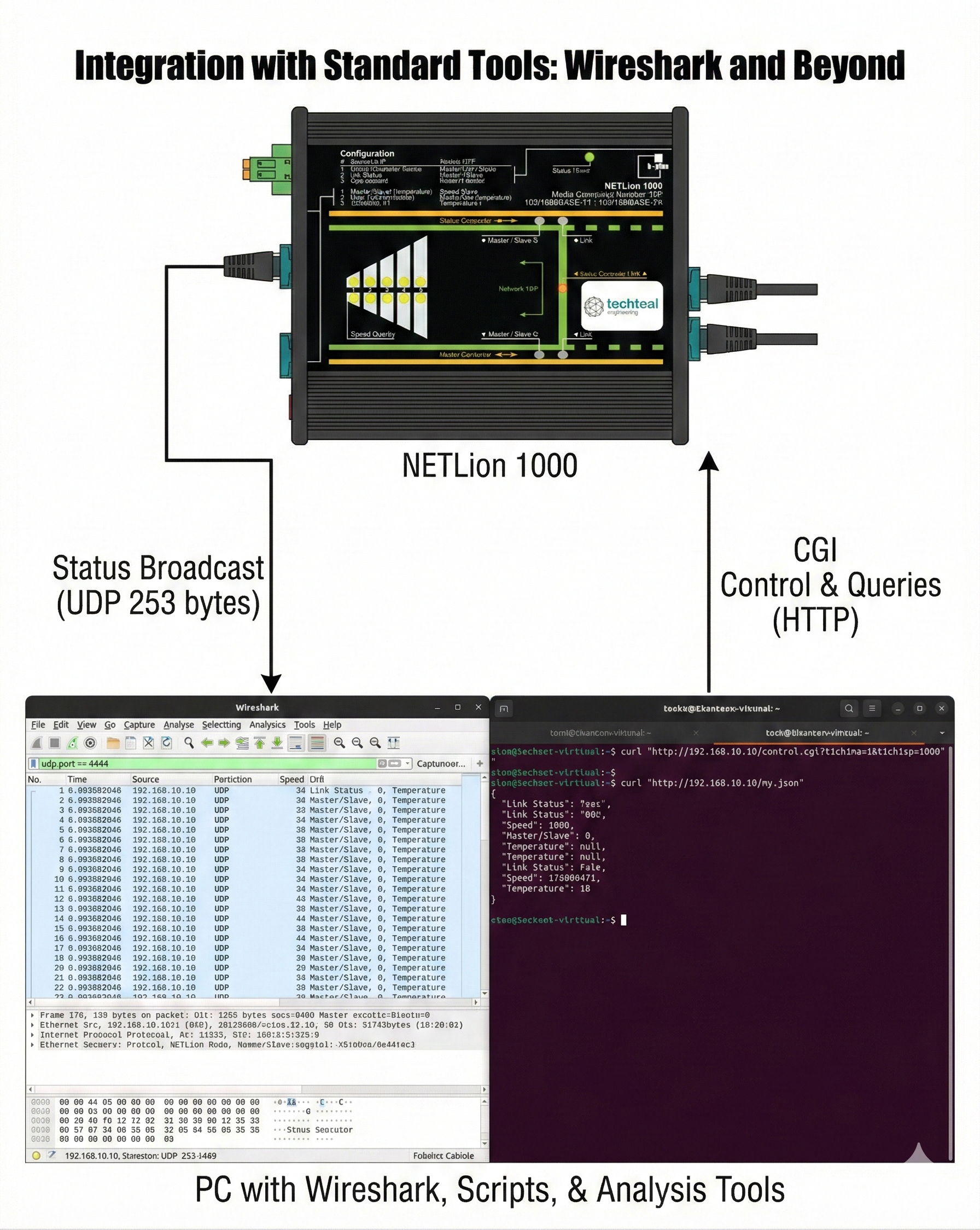
NETLion continuously broadcasts its status via UDP packets (253 bytes, configurable port). This opens up powerful integration possibilities:
Apply filter: udp.port == 4444
You'll see continuous packets containing:
Why this matters: You can verify configuration changes in real-time, log device state during long tests, and correlate NETLion behavior with other network activity, all in the same Wireshark capture.
The CGI (Common Gateway Interface) allows programmatic control:
# Set Channel 1 to Master, 1000M
curl "http://192.168.10.10/control.cgi?t1ch1ma=1&t1ch1sp=1000"
# Query current status (JSON)
curl "http://192.168.10.10/my.json"
Perfect for:
NETLion's two channels are completely independent. Exploit this:
Scenario: Test two different ECUs simultaneously
Ch1: 100BASE-T1, Master → Camera ECU (developing)
Ch2: 1000BASE-T1, Slave → Radar unit (production firmware)
Both run concurrently with different speeds, roles, and test configurations.
NETLion's architecture is designed to preserve timing for IEEE 1588 PTP (Precision Time Protocol):
Media Converter Mode: Introduces small asymmetric delay (~1.4µs @ 100M, ~2.6µs @ 1000M). Document this in your PTP configuration's delay asymmetry value.
TAP Mode: Symmetric delay only (~2.0µs @ 100M, ~4.7µs @ 1000M). Adjust PropDelayThresh parameter to account for NETLion plus cable delays.
The web interface won't configure PTP for you, but understanding these delays is critical for ADAS and AD applications where microsecond-level synchronization matters.
LDPT changes behavior based on mode:
In Media Converter Mode:
In TAP Mode:
⚠️ Note: LDPT increases link establishment time. Disable if link stability is more important than rapid fault signaling.
Choose NETLion when:
Complement with other tools when:
NETLion isn't meant to replace your entire test bench, it's the bridge that makes automotive Ethernet as accessible as plugging in a laptop.
In automotive development, every hour spent fighting with tools is an hour not spent solving the actual engineering problem. The NETLion 1000's web interface removes the friction:
No installation: Plug in, open browser, start testing
No learning curve: Intuitive interface, immediate feedback
No external dependencies: Built-in packet generation, OAM testing, cable diagnostics
No locked ecosystem: CGI and UDP interfaces for custom automation
The question isn't whether you need specialized tools for automotive Ethernet, you do. The question is whether those tools accelerate your workflow or add another layer of complexity.
For teams developing ADAS sensors, ECU communication stacks, or automotive switches, NETLion delivers immediate value: the ability to configure, test, and validate automotive Ethernet connections in minutes instead of hours.
And in an industry where every kilometer of test driving counts, every hour of lab time matters too.
Looking to accelerate your automotive Ethernet development? The NETLion 1000 is available through Techteal Engineering as we are the authorized distributor worldwide. Reach out directly to discuss your specific application needs.
Traditional Ethernet required point-to-point connections, adding switches, increasing weight, complexity, and cost. To address power consumption, heat issues, and complexity, we moved to 10BASE-T1S, a simpler, efficient Ethernet technology. 10BASE-T1S changes everything. It brings back the simplicity of a bus topology, letting multiple ECUs share the same wire. Most ECU communication is under 10 Megabits per second, making 10BASE-T1S ideal for control data, just like CAN and FlexRay, but fully Ethernet. Today's cars use many network types, connected by complex gateways, but there's a movement toward a single unified network: Ethernet everywhere.